
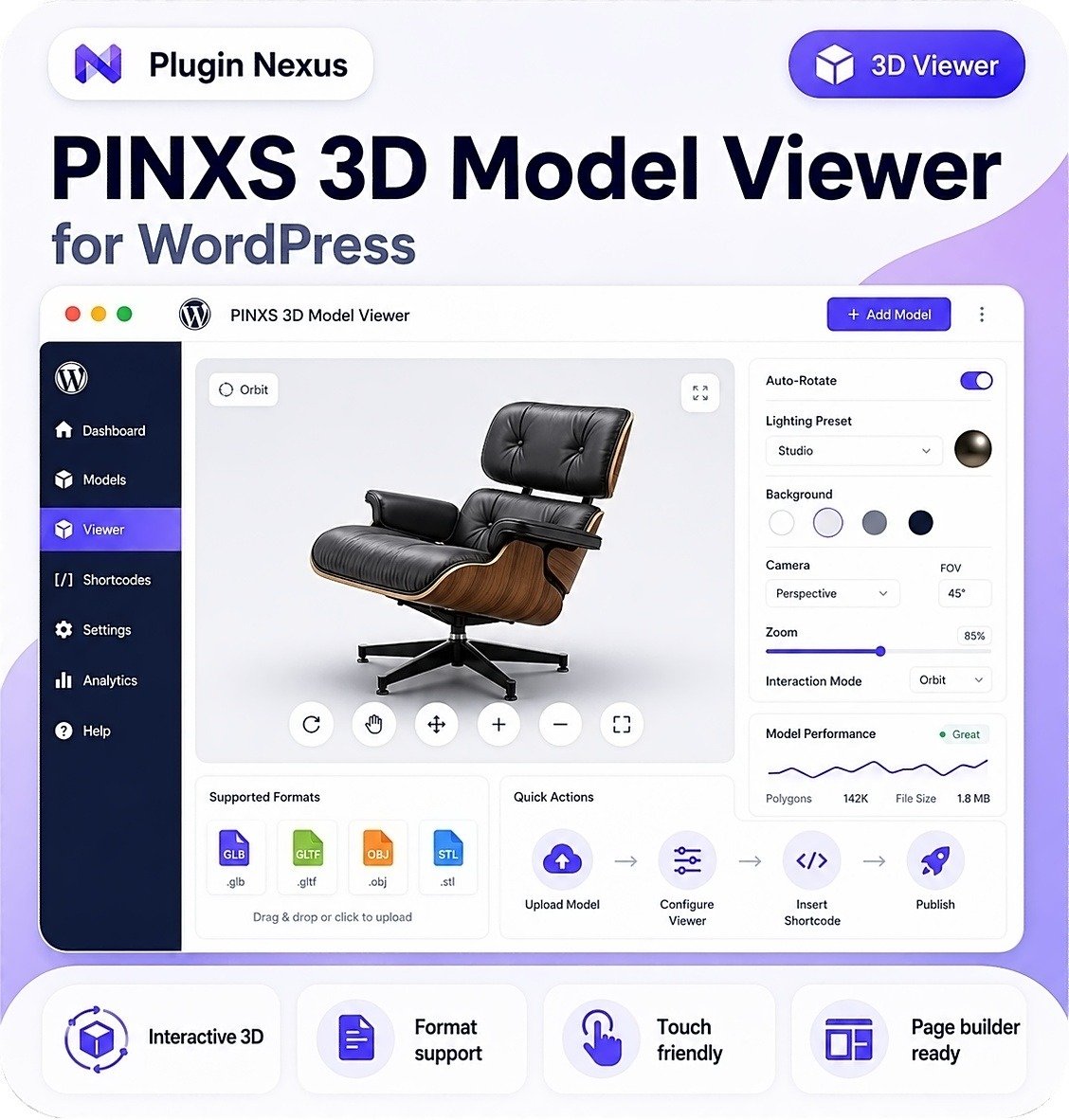
VersionV1.4.26
Last updated2026-06-07
SupportLifetime support
Updates12 months

3D Model Viewer Plugin for WordPress

Price range: £39.00 through £197.00

Bring stunning interactive 3D models to your WordPress site with a powerful WordPress 3D Model Viewer Plugin — fast, lightweight, and easy to use.
Perfect for product demos, portfolios, architecture, training, and digital creators.

✓ High-performance WebGL / Three.js rendering
✓ Full rotation, zoom & pan controls
✓ Mobile-optimized touch navigation
✓ Supports GLB, GLTF, OBJ, STL
✓ Works with all themes & page builders
✓ One 3D Model viewer per page

The easiest way to add beautiful 3D experiences to your WordPress site.

Description

Live Interactive 3D Model Demo
Desktop controls
Click & drag to rotate · Hold Shift and drag to rotate around axis
Right-click & drag to move · Scroll to zoom
Mobile controls
Touch & drag to rotate · Pinch in and out to zoom · use two fingers and slide to move · Smooth mobile inspection

WordPress 3D Model Viewer Plugin

Showcase interactive 3D models directly inside WordPress

The WordPress 3D Model Viewer Plugin lets you display interactive 3D models with smooth rotation, zooming, panning and inspection controls — all inside your WordPress website.

Perfect for product demos, ecommerce, engineering, architecture, training, education, digital art and immersive experiences where visitors need to explore real 3D files from every angle.

WebGL rendering
GLB / GLTF / OBJ / STL
Touch friendly
No coding required
Page builder ready
WordPress native

🧩

Interactive 3D viewing

Visitors can rotate, zoom, pan and inspect your 3D models directly in the browser.

Fast WebGL rendering

Optimised rendering helps your 3D models feel smooth, responsive and professional.

🎨

Beautiful visual presentation

Showcase product models, digital artwork, engineering parts and 3D assets with impact.

How it works

Add interactive 3D models to your WordPress pages without writing code.

1. Upload your 3D model to WordPress
2. Configure viewer size, background, lighting and controls
3. Insert with a Gutenberg block, Elementor widget or shortcode
4. Let visitors rotate, zoom and explore on any device

Why use a 3D viewer?

Interactive 3D helps visitors understand scale, shape, detail and design far better than static images alone.
Rotate models
Zoom details
Inspect parts
Show scale
Improve demos
Boost engagement

Live Plugin Demo Available

View the PINXS 3D Model Viewer demo

Explore the public PINXS 3D Model Viewer demo to see an interactive 3D model displayed directly on a WordPress page. Rotate, zoom and inspect the sample model to see how the plugin can present product previews, technical parts, portfolio objects and visual assets.

The admin demo is read-only, so visitors can view how models are managed inside WordPress without being able to save, upload, delete or change stored demo data.

3D Model Viewer vs Static Product Images

Give visitors a deeper, more interactive way to explore your models, products and digital assets.

User interaction
3D Viewer: High
Images: Low
Rotate and inspect
3D Viewer: Yes
Images: No
Zoom control
3D Viewer: Interactive
Images: Limited
Product understanding
3D Viewer: Strong
Images: Basic
Best content type
3D Viewer: 3D files
Images: Photos
Immersive demos
3D Viewer: Excellent
Images: Limited
Technical presentation
3D Viewer: Detailed
Images: Flat
Visitor engagement
3D Viewer: Higher
Images: Passive
Use the 3D Model Viewer when you already have real 3D files and want visitors to explore them interactively. Use static images when you only need simple visual presentation.

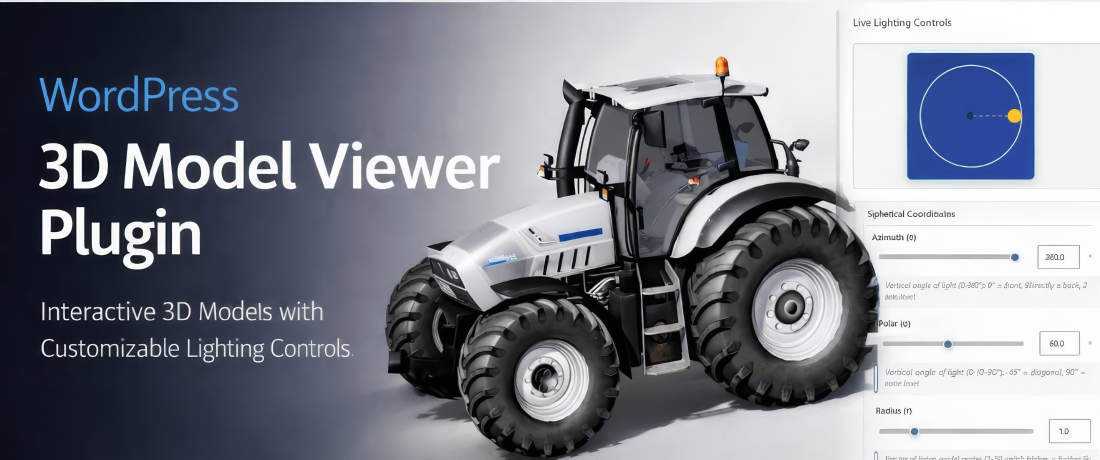
WordPress 3D Model Viewer Plugin banner

Key features

Ultra-fast WebGL rendering
Display interactive 3D models with smooth browser-based rendering.

🔄

Auto-rotate controls
Let models rotate automatically or give visitors full manual interaction.

💡

Lighting presets
Control lighting and presentation so your model looks clean and professional.

🌐

Wide format support
Display GLB, GLTF, OBJ, STL and other model formats supported by the viewer workflow.

📱

Responsive 3D canvas
Your model viewer adapts cleanly across desktops, tablets and mobile devices.

🧩

Shortcode integration
Insert 3D viewers into pages, posts, product descriptions and landing pages.

🎛️

Viewer customization
Adjust background, camera position, model scale, rotation and interaction settings.

🚀

Page builder ready
Use Gutenberg, Elementor, shortcodes and major WordPress builders with ease.

Who is it for?

🛒

Ecommerce stores
Showcase 3D products, product demos and interactive buying experiences.

🏭

Engineering & manufacturing
Display parts, assemblies, prototypes and technical models interactively.

🏛️

Architecture & real estate
Present buildings, interiors, spaces and visual concepts with interactive 3D views.

🎨

Digital artists
Show 3D artwork, characters, assets and portfolio pieces in a premium way.

🎓

Educators & training platforms
Use interactive models for lessons, training materials and visual learning.

💻

SaaS & software demos
Embed interactive visual demos, concepts and 3D assets inside WordPress pages.

💼

Agencies
Build premium client sites with interactive 3D product and portfolio sections.

🧰

Product designers
Share prototypes, concepts, product ideas and model previews online.

Perfect for WordPress 3D presentation

Use interactive 3D viewers to bring models, products, prototypes and digital assets to life across your WordPress website.

✓ Product demos
✓ Engineering models
✓ Digital portfolios
✓ Training resources
✓ Visual explainers
✓ Interactive landing pages

🔒

Secure and stable

Designed with clean, modern, WordPress-native code and built for reliable use on professional websites.

🧩

Flexible embedding

Use Gutenberg blocks, Elementor widgets, shortcode placement and page builder layouts to display your models where you need them.

Choose your license

Each license includes the plugin download, 1 year of updates, lifetime support and unlimited 3D model uploads on the licensed sites.

Starter
1 Site License — £39

Perfect for personal websites, single projects and focused product demos.

Growth
3 Site License — £97

Ideal for freelancers, small teams and multiple client or project sites.

Best for agencies
Unlimited Sites — £197

Best for agencies, developers and high-volume creators managing many websites.

Frequently asked questions

Do all license levels include the same features?
Yes. The only difference is how many websites you can activate.
Is the plugin beginner-friendly?
Yes. Upload your model, configure the viewer and insert it with a block, widget or shortcode.
Can it handle large 3D models?
Yes, especially when models are prepared and optimised correctly. GLB and GLTF are usually good choices for web-based 3D viewing.
Do I get updates?
Yes. Each license includes 1 year of updates and support.
Does it work with Elementor, Divi and Bricks?
Yes. You can place the viewer using shortcode-based workflows and supported builder integrations.

Bring your website to life with interactive 3D

Create visually impressive, interactive 3D experiences that help visitors explore products, models, designs and digital assets — all from inside WordPress.


WordPress 3D Model Viewer Plugin

PINXS 3D Model Viewer Features

PINXS 3D Model Viewer helps you display interactive 3D models directly inside WordPress, without manually coding a viewer into your pages. Visitors can rotate, zoom, pan and inspect products, parts, prototypes or digital objects directly in the browser.

Use it for WooCommerce product pages, documentation, portfolios, engineering previews, furniture displays, 3D printed items, prototypes and visual product demonstrations.

Core Purpose

  • Display interactive 3D models directly inside WordPress.
  • Let visitors rotate, zoom, pan and inspect products or objects in the browser.
  • Add 3D previews to pages, posts, WooCommerce products and documentation.
  • Manage 3D model records from the WordPress admin area.
  • Use shortcodes to place models exactly where needed.
  • Avoid manually coding 3D viewers into pages.
  • Useful for product demos, engineering parts, furniture, 3D printed items, prototypes, portfolios and digital product previews.

Interactive 3D Viewing

  • Browser-based 3D model display.
  • Rotate models with mouse, trackpad or touch.
  • Zoom in and out to inspect details.
  • Pan or move the view where supported.
  • Fullscreen viewing option.
  • Auto-rotate option for presentation-style product displays.
  • Touch-friendly controls for tablets and mobiles.
  • Works well for visual product demonstrations.

Supported Model Formats

GLB
GLTF
OBJ
STL
DAE / Collada
ZIP Uploads

GLB is recommended for most websites because it normally keeps model, material and texture data in one web-friendly file.

STL support is useful for simpler geometry or 3D-print style models.

OBJ and DAE support can help with workflows where separate material and texture files are required.

Model Library Management

  • Create individual model records.
  • Store each model with its own title, file and viewer settings.
  • Edit existing model records.
  • Duplicate or reuse model setup workflows where needed.
  • Keep shortcodes connected to saved model records.
  • Manage all models from a dedicated WordPress admin area.
  • Use clear model names for easier future maintenance.

Upload Workflow

  • Upload model files from the WordPress admin area.
  • Select supported model files from the media library where available.
  • Upload ZIP files for models with supporting texture or material files.
  • Create one model record per object or product view.
  • Preview the model before publishing.
  • Save settings to the individual model record.
  • Copy the generated shortcode for use on pages, posts or products.

Preview Window

  • Live preview before publishing.
  • Check how the model looks inside the viewer.
  • Adjust lighting before saving.
  • Adjust background settings before saving.
  • Adjust camera angle, zoom and scale.
  • Test model framing.
  • Check shadows and visual presentation.
  • Confirm that the model loads correctly before placing it on a public page.

Lighting Controls

  • Ambient light settings.
  • Directional light settings.
  • Studio-style lighting presets.
  • Light position controls.
  • Shadow options.
  • Environment-style lighting where supported.
  • Improve product presentation without editing the model file itself.
  • Useful for making dark, reflective or complex models display more clearly.

Background Controls

  • Solid colour background options.
  • Light or dark display backgrounds.
  • Transparent background support where suitable.
  • Gradient or styled background options where available.
  • Helps match the 3D viewer to the website design.
  • Allows technical models, product models and showcase models to use different presentation styles.

Camera and View Settings

  • Camera perspective controls.
  • Field of view options.
  • Zoom level adjustment.
  • Model scale adjustment.
  • Initial viewing angle control.
  • Framing controls so the object appears at the correct size.
  • Helps prevent models loading too small, too large or off-centre.

Material and Appearance Settings

  • Mesh colour options for models without embedded materials.
  • Roughness settings.
  • Metalness settings.
  • Useful for STL or simple models with no material data.
  • Helps improve plain geometry files without needing to re-export the model.
  • Can make technical parts, prototypes or 3D print files easier to view.

Save to Record

  • Save preview settings to the current model only.
  • Keep each model’s own lighting, camera and background setup.
  • Useful when different products need different viewing styles.
  • Prevents one model’s settings from accidentally changing future models.
  • Allows careful tuning of important product displays.

Save as New Defaults

  • Save the current preview setup as the default for future models.
  • Speeds up creation of multiple similar model records.
  • Helps keep product displays visually consistent.
  • Useful after perfecting the lighting, scale, camera and background on a representative model.
  • Does not automatically redesign existing model records, only future starting defaults.

Shortcode Output

  • Automatically generates a shortcode for each saved model.
  • Shortcode can be copied into pages.
  • Shortcode can be copied into posts.
  • Shortcode can be copied into WooCommerce product descriptions.
  • Shortcode can be used in compatible builders or shortcode blocks.
  • Allows model placement without coding.
  • Makes it easy to move or reuse a viewer across the site.

Gutenberg / Block Editor Use

  • Add a shortcode block.
  • Paste the generated model shortcode.
  • Update or publish the page.
  • Preview the page on the frontend.
  • Works inside normal WordPress page and post content.
  • Can be combined with text, images, product details and CTA sections.

Elementor / Page Builder Use

  • Use shortcode widgets or compatible content widgets.
  • Paste the generated shortcode into the builder area.
  • Position the viewer inside product layouts or landing pages.
  • Test spacing on desktop, tablet and mobile.
  • Useful for custom product pages and visual sales pages.

WooCommerce Use

  • Add interactive 3D models to product pages.
  • Place the shortcode in product descriptions.
  • Use with product image galleries and normal product content.
  • Let customers inspect products before buying.
  • Useful for furniture, tools, parts, models, collectibles, manufactured items and custom products.
  • Can improve product confidence compared with static photos alone.

Performance Features

  • Lazy loading options where available.
  • Model file size awareness.
  • GLB recommended for efficient delivery.
  • Encourages optimised geometry and texture sizes.
  • Helps avoid slow product pages caused by oversized 3D files.
  • Suitable for modern browsers with WebGL support.
  • Best used with properly optimised web-ready model files.

Visitor Experience

  • Visitors can interact with models without installing desktop software.
  • Models display directly in the page.
  • Controls are familiar and simple.
  • Mobile and touch support helps visitors inspect products on phones and tablets.
  • Fullscreen mode can give a clearer inspection experience.
  • Auto-rotate can attract attention on sales pages.
  • Makes product pages feel more premium and interactive.

Data and Uninstall Options

  • Model records stored inside WordPress.
  • Plugin settings stored with the website.
  • Data retention options may allow records to be kept or removed during uninstall.
  • Recommended to back up before updating, uninstalling or migrating.
  • Useful for preserving model records during plugin updates.

Admin and Security

  • Model management should be restricted to trusted administrators.
  • Upload permissions should not be given to untrusted users.
  • Avoid letting public users add, edit, upload or delete model records.
  • Keep WordPress, theme and plugins updated.
  • Use secure admin passwords.
  • Back up model data and uploaded files.
  • Test updates on a staging site where possible.

Practical Use Cases

Product showcases
WooCommerce product pages
Engineering component previews
Furniture and interiors
3D printed product previews
Architectural objects
Prototype demonstrations
Technical documentation
Portfolio presentations
Digital model previews
Client approval pages
Training resources

Key Product Page Feature Blocks

Interactive 3D viewing
GLB, GLTF, OBJ, STL and DAE support
WordPress model library
Live preview controls
Lighting and background settings
Shortcode placement
WooCommerce ready
Mobile and touch friendly
Auto-rotate display
Fullscreen viewing
Save reusable defaults
No manual viewer coding required

Additional information

License

1 Site License, 3 Site License, Unlimited Sites

Built for serious WordPress sites

Clean, focused software made for performance, security, and practical site management.

  • Fast installation and clear setup flow
  • Regular updates and maintainable code
  • Designed to work with WooCommerce stores
  • Support and documentation friendly

Compatibility

VersionV1.4.26
Tested up toV7.0
Requires WP6.0+
Requires PHP7.4+ recommended, tested on PHP 8.3
HTMLHTML5
CSSCSS3
Download size759 KB
LicenceLifetime licence
SupportLifetime support
Updates12 months
WooCommerceCompatible
Last updated2026-06-07
Single Site

Ideal for one website

Use on one live WordPress site. Ideal for a single business website, WooCommerce shop, portfolio, product page, or client project where only one activation is needed.

Multi Site

Great for client work

Choose this option if you manage several websites or need to use the plugin on more than one WordPress install. A good fit for freelancers, small studios, or businesses with multiple product sites.

Unlimited

Best for agencies, developers, and repeat projects

The unlimited licence is designed for people building multiple websites, client stores, product catalogues, or bundled services. It gives you more flexibility when using the plugin across a wider range of projects.

Leave a review

Be the first to review this product.

Reviews

There are no reviews yet.

Only logged in customers who have purchased this product may leave a review.

Ready to get started?

Choose your licence and complete your purchase securely.

Choose Licence & Buy Now
PINXS Ai Chatbot
Contact Page